
Some of us want speed, and the fastest workstation storage with a decent price tag right now is OCZ RevoDrive. Its a PCI-E harddrive which can Read: Up to 1500 MB/s, Write: Up to 1250 MB/s and has Max Random Write 4KB (Aligned): 230,000 IOPS… Quite neat.
Whats not so neat, or fun is to get it to work with SCCM 2012.
I downloaded the latest drivers from OCZ and imported them to SCCM and my Boot Image.
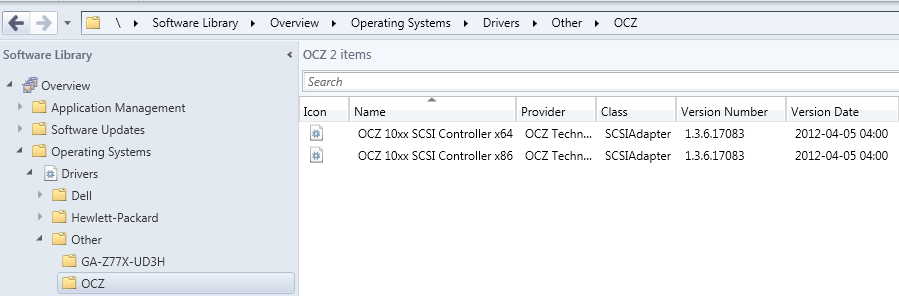
I then used DiskPart to set up the unit:
select disk 0
clean
create partition primary
select partition 1
active
format fs=ntfs quick
assign
exit
WinPE boots fine but when I select my Task Sequence the installation stops with error code 0x800700A1.
When checking SMSTS.log I find the following:
<![LOG[User did not specify local data drive]LOG]!>
<![LOG[Volume C:\ has 480023437312 bytes of free space]LOG]!>
<![LOG[Volume C:\ is not bootable]LOG]!>
<![LOG[Volume D:\ is not a fixed hard drive]LOG]!>
<![LOG[Volume E:\ is not a fixed hard drive]LOG]!>
<![LOG[Volume F:\ is not a fixed hard drive]LOG]!>
<![LOG[Volume G:\ is not a fixed hard drive]LOG]!>
<![LOG[Volume H:\ is not a fixed hard drive]LOG]!>
<![LOG[Volume X:\ is not a fixed hard drive]LOG]!>
<![LOG[TSM root drive = ]LOG]!>
<![LOG[We do not find an available volume to store the local data path]LOG]!>
The MDT scripts detect the RevoDrive as “not bootable”, I would prefer not to change any scripts in the package if possible. Is there another way to set up the hardware?
The hardware I’m trying to deploy on is a HP Z400 (which is why I have so many drive letters) with a RevoDrive 3 x2.
I will keep working to solve the issue, if you’re having the same issue or got a solution let me know.

I think the reason you're running into this issue is that the RevoDrive has its own on-board raid controller and you may need to mark the drive as bootable on the controller first before continuing. I've had no handson experience, so feel free to discount this.
Also, after reading these two articles, I think you may need to bypass driver signing in order to have the systems boot off of the PCI-e card.
http://www.anandtech.com/show/4470/ocz-revodrive-3-x2-480gb-preview
http://www.tomshardware.com/forum/299462-32-installing-windows-revodrive-pcie-raid-card
What about just booting off of a small SSD drive and storing everything on the PCI-e card? I bet the performance would be astounding stilL!
Sorry, can't figure out how to edit my previous post.
I found this guide on OCZ's site. Can you verify that the motherboard and chipset you're using is found on their tested equipment list?
http://ocz.com/consumer/ssd-guide/motherboard-guide
Thanks for the feedback Stephen!
/ Joakim
What key are you using to start network boot? In our case it had to do with using the F11 key instead of F12 bootmenu.
Is this isue already solved…and more important how ??